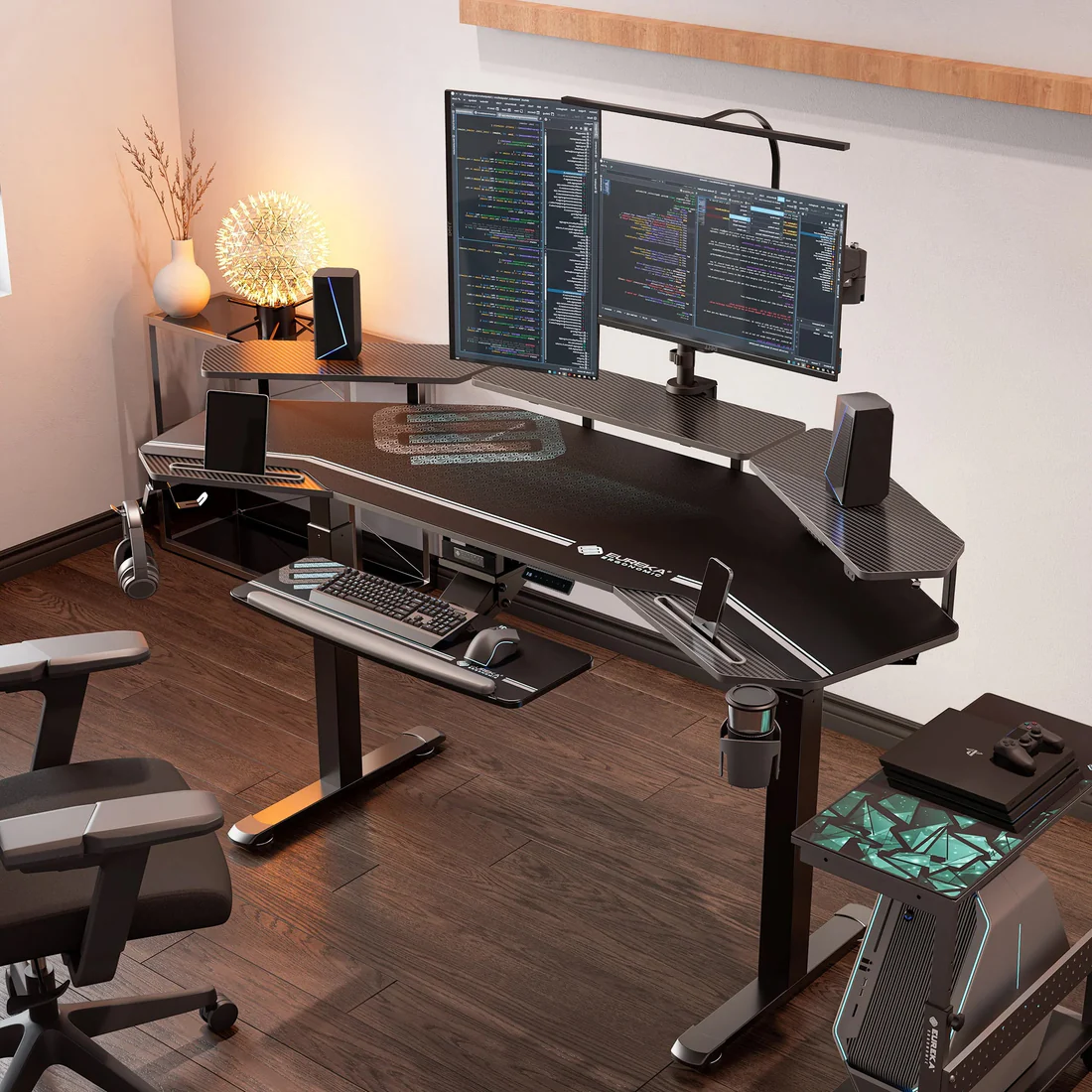
The minimalist workspace aesthetic has been on Pinterest boards for years. But the actual reason to minimize your workspace isn't to look good on camera during video calls — it's that physical clutter competes for cognitive attention in the same way digital clutter does. A desk covered in objects is a desk covered in decisions you haven't made yet.
The Cognitive Cost of Physical Clutter
Research in environmental psychology has consistently shown that cluttered environments increase cortisol levels and reduce ability to focus on tasks. This isn't just subjective feeling — it's measurable. Every object in your field of vision that isn't directly relevant to your current task represents a small but real cognitive cost.
The practical implication: your workspace should contain only what you need for the work you're doing right now. Everything else, no matter how useful it might be occasionally, is costing you something.
Your workspace should be optimized for the work you do daily, not the work you might do occasionally. Occasional tools belong in drawers or storage, not on your primary work surface.
The Desk Audit: What Stays and What Goes
Before buying anything new, do an audit of what's currently on your desk. Pick up each object and ask: did I use this in the past week? If the answer is no, it shouldn't be on your work surface. This includes:
- Decorative items that add visual noise without adding meaning
- Papers and documents you've been meaning to file
- Chargers and cables for devices you don't use daily
- Office supplies you reach for less than once a week
- Books and notebooks that aren't part of your current work
The standard exception: one or two genuinely meaningful objects — a photo, a small plant, one item that brings you genuine pleasure — are worth keeping because they have psychological value that outweighs the marginal cost of their presence. One meaningful object is fine. Fifteen aren't.
Cable Management: The Invisible Clutter Problem
Cables are the most overlooked source of visual chaos in home offices. A few tangled cables on a desk register the same way as visual noise in the background — your brain notices, even when you're not consciously registering it.
The solution doesn't require expensive cable management systems. Three tools handle 90% of the problem:
- Cable clips: Stick-on clips that route cables along the back edge of your desk. Available at any hardware store for under $10.
- Velcro cable ties: For grouping cables together cleanly. Much better than twist ties because they're reusable and adjust easily.
- Under-desk power bar: Mount a power bar under your desk to keep wall outlets at the back of your setup rather than visible on your desk surface. Mounting hardware is usually included.
Combined, these three things make a visible difference in how tidy a workspace feels, typically for under $40 total.
The Essentials: What Belongs on the Desk
For most knowledge workers, the essentials are:
- Your primary computer (and monitor if using a laptop stand)
- Keyboard and mouse/trackpad
- Headphones or speakers if you use them daily
- A single notebook and pen if you take handwritten notes
- Water
That's it. Everything else is bonus. A lamp if your overhead lighting is poor. A small plant if you find it calming. A monitor arm to free up desk space and improve ergonomics. But notice that the list of true essentials is quite short.
| Item | Keep on Desk? | Rationale |
|---|---|---|
| Monitor / laptop | Yes | Daily use |
| Keyboard & mouse | Yes | Daily use |
| Notebook + pen | Yes (if used daily) | Active use item |
| Second monitor | Yes (if used daily) | Productivity tool |
| Phone stand | Maybe | Only if used for work |
| Stapler, tape | No | Store in drawer |
| Books | No (unless current reference) | Store on shelf |
| Decorative items | 1–2 maximum | Meaningful items only |
| Food / coffee | Temporarily | Remove when done |
The Daily Reset Habit
A clean desk in the morning is worth more than a clean desk that gradually fills up throughout the day. The maintenance habit that keeps minimalist workspaces minimal: a 5-minute end-of-day reset.
At the end of each work session, return everything to its place. File papers or move them to your inbox. Return objects to drawers. Wipe the surface. Put cables back in their clips. When you sit down the next morning, the clean surface is a signal: it's time to focus.
This is simpler and faster than it sounds. Once your workspace has the right number of things on it, maintaining it takes about as long as putting on your shoes. The hard part is getting to that baseline, not keeping it there.
Digital Desktop: The Same Rules Apply
This piece is about physical workspaces, but the same principles apply to your digital desktop. A cluttered computer desktop has the same cognitive cost as a cluttered physical desk — every file you can see is something competing for your attention when you look at the screen.
Apply the same rule: the only items on your digital desktop should be things you're actively working on. Everything else belongs in your documents folder. If you use your desktop as a dumping ground, spend 30 minutes moving everything into folders and experience what it's like to see your wallpaper.
The Investment Case for Good Basics
Minimalism doesn't mean cheap. It means fewer things, but better things. Investing in a genuinely good chair, a monitor at the right height, a keyboard that doesn't cause strain — these have meaningful returns in comfort and sustained productivity. The money you would have spent on ten mediocre desk items is often better spent on one excellent ergonomic upgrade.
For Canadians, the major retailers carry decent ergonomic basics: IKEA has solid desk options, Costco periodically carries good monitor arms, and Canadian Tire carries the cable management basics mentioned earlier. For chairs, it's worth buying from a dedicated office furniture retailer where you can actually sit in the options.
You don't — or at least, not by lecturing. The better approach is to keep your own workspace minimal and let the results speak for themselves. Shared spaces require negotiation and compromise. Focus your minimalism energy on the area that's purely your workspace, and have a separate conversation about shared spaces based on mutual preferences.
Distinguish between frequently referenced materials (keep nearby, organized on a shelf or in a document holder) and occasionally referenced materials (store out of sight, retrieve when needed). If you're reaching for something multiple times per day, it belongs in your workspace. If you're reaching for it weekly or less, store it away.
Only if you remove everything, which isn't the goal. One or two meaningful objects — a photo, a small plant, a piece that brings you genuine pleasure — make a workspace feel personal without creating cognitive noise. The difference between 2 meaningful objects and 20 objects is significant; the difference between 0 and 2 is not.